


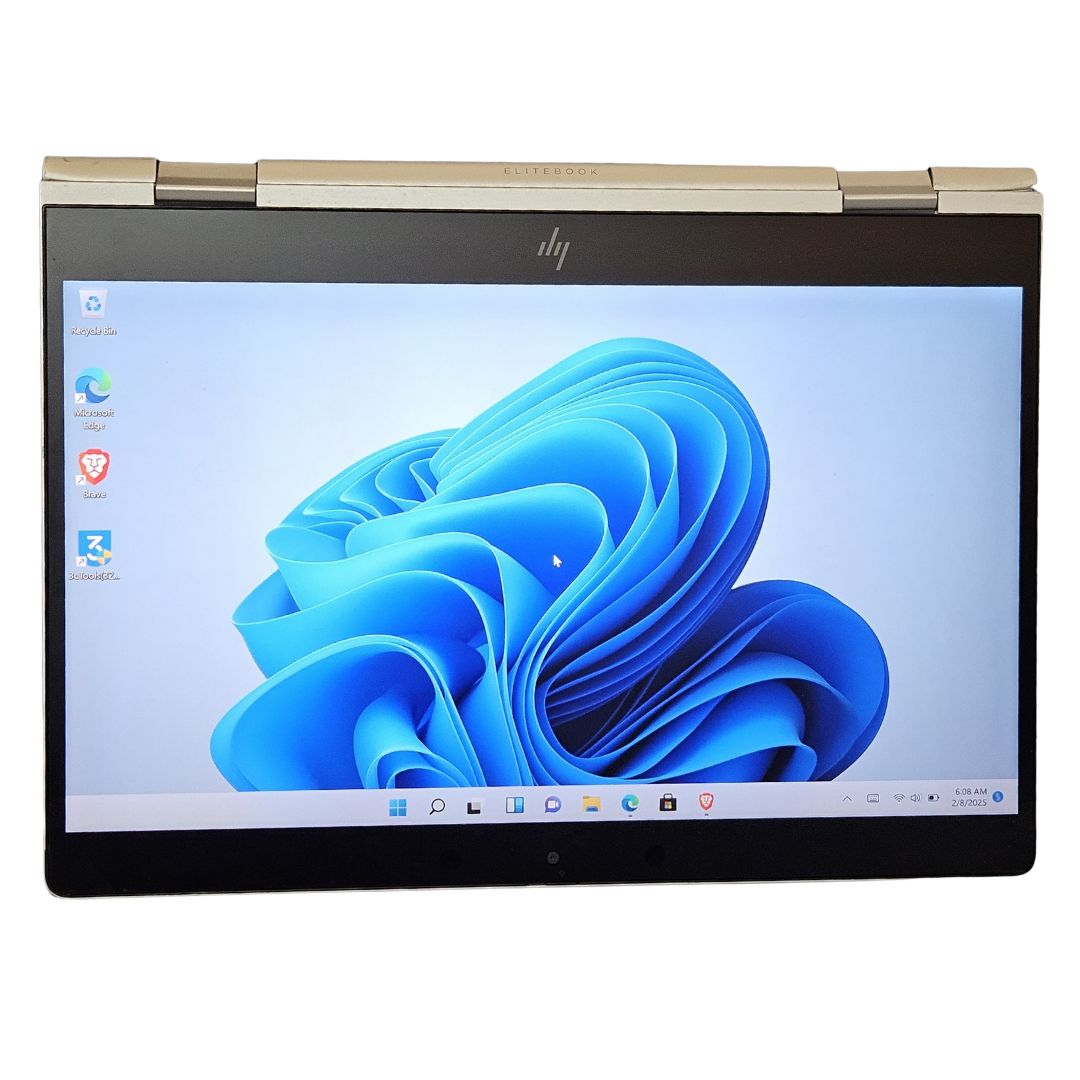

Affordable HP EliteBook x360 830 G6 in Kenya – Ultimate Business-Class Power Meets Versatility
If you’re searching for the Affordable HP EliteBook x360 830 G6 in Kenya, you’ve landed in the right place. Whether you’re a business professional, student, or remote worker, this device delivers unmatched flexibility, robust security, and high-end performance—without the hefty price tag. We bring you a versatile computing experience built to meet the fast-paced demands of your day-to-day life.
With its stylish, convertible design and intelligent features, this premium notebook keeps you productive, mobile, and protected. Discover why this model is among the top choices for budget-savvy professionals in Kenya who won’t compromise on quality.
5 Reasons Why the Affordable HP Elitebook X360 830 G6 Is a Must Have
Choosing the right laptop isn’t just about specs—it’s about how those features improve your everyday work life. The HP EliteBook x360 830 G6 combines performance, security, and flexibility in a way few others do. Here are five compelling reasons why this device stands out as a smart investment for professionals in Kenya:
1. Elegant, Durable Design with Premium Finishes
The HP EliteBook x360 830 G6 combines luxury with resilience. Built using CNC-machined aluminum, it’s engineered to withstand harsh environments while looking sleek in any setting. Its 13.3-inch diagonal Full HD touch display supports multi-touch functionality, perfect for flipping between typing, sketching, and presenting—whether you’re in the office or on the move.
Thanks to its 360-degree hinge, this model transitions seamlessly between laptop, tablet, tent, and stand modes. From boardroom presentations to creative design work, this machine adapts to you. The slim profile and narrow bezel design maximize your screen real estate while maintaining portability. Anti-glare technology also ensures readability even in bright environments, making it ideal for outdoor use.
The keyboard is spill-resistant and backlit, enhancing both durability and usability in low-light conditions. Every detail of the EliteBook x360 830 G6 is refined for professionals who demand excellence.
2. Performance That Powers Your Workflow
Inside the hood, the EliteBook x360 830 G6 is powered by 8th Gen Intel® Core™ i5 or i7 processors, offering exceptional speed and reliability. Paired with 8GB to 16GB DDR4 RAM and SSD storage options up to 1TB, multitasking becomes second nature.
Open multiple tabs, run analytics, edit large files—this system handles it all without breaking a sweat. Integrated Intel® UHD Graphics ensures smooth rendering for presentations, video playback, or light creative work. The PCIe NVMe SSD not only accelerates boot-up times but also significantly reduces file loading times, so you’re always one step ahead.
Whether you’re using software like Microsoft Office Suite, Adobe Creative Cloud, or CRM tools, the EliteBook x360 830 G6 offers fast, consistent performance. It’s designed to support demanding workloads without compromising efficiency.
3. Uncompromised Security for Modern Professionals
Security is a non-negotiable in today’s digital world. The EliteBook x360 830 G6 makes it a priority. With features like HP Sure View privacy screen (optional), biometric fingerprint authentication, facial recognition, and a physical camera shutter, your data stays yours—always.
Add to that HP Sure Start Gen5 BIOS-level protection and HP Sure Click to isolate web threats, and you’re working with one of the most secure business laptops available. That’s peace of mind for every click, download, and transaction.
This laptop also includes a TPM 2.0 security chip, which encrypts sensitive data and keeps authentication secure. Endpoint security tools such as HP Client Security Manager give IT departments greater control, ensuring enterprise-grade protection even in remote settings.
4. A Portable Workhorse with Long-Lasting Battery
We know productivity doesn’t stop when you leave your desk. The HP EliteBook x360 830 G6 supports all-day performance with up to 18 hours of battery life depending on your configuration and usage.
Fast Charge technology juices the battery up to 50% in just 30 minutes, letting you stay ahead, not tethered to an outlet. And weighing just under 1.35kg, this lightweight convertible slips easily into your bag—go from boardroom to coffee shop without slowing down.
Its smart battery management system learns your usage patterns and adjusts power consumption, delivering longer battery life over time. Whether you travel frequently or work from varied locations, this machine adapts to your lifestyle.
5. Crystal-Clear Communication with Bang & Olufsen Audio
Virtual meetings, webinars, and remote collaborations are part of the new normal. With the EliteBook x360’s top-firing speakers tuned by Bang & Olufsen, you get rich, immersive sound.
A world-facing third microphone and noise cancellation features ensure your voice is heard clearly—even in bustling environments. Whether you’re leading a virtual presentation or catching up with a client, the audio and video quality won’t let you down.
It also includes dual array microphones and collaboration keys to enhance virtual meetings. These features are critical for professionals working remotely, making communication smoother and more efficient.
Where to Buy an Affordable HP EliteBook x360 830 G6 in Kenya
Ready to elevate your computing experience with business-grade efficiency? It’s never been easier to shop the HP EliteBook x360 830 G6 online in Kenya. Explore a variety of configurations suited to your needs and budget:
- Discover unbeatable deals and buy HP EliteBook x360 830 G6 today at Smepal Shop.
- Compare other HP models and specs on our latest tech collection page at smepalshop.co.ke.
- Prefer browsing by performance category? Visit our business laptops section at smepalshop.co.ke to explore more.
Our platform offers seamless online shopping with fast delivery across Kenya. Quality and customer satisfaction remain at the heart of what we do.
Discover the Value Behind the HP EliteBook x360 830 G6
Choosing this model means investing in productivity, security, and adaptability. Here’s a quick breakdown of what makes it stand out:
- Versatile 360° Design: Laptop, tablet, and more.
- Powerful Performance: Intel® Core™ processors, fast SSD storage.
- Enterprise-Grade Security: BIOS protection, biometric access, and more.
- Exceptional Audio and Video: Ideal for remote work and conferencing.
- Long Battery Life + Fast Charging: Work uninterrupted for hours.
- Lightweight and Portable: Carry it anywhere effortlessly.
Plus, its premium yet affordable pricing makes it the ideal choice for professionals and students alike. With the Affordable HP EliteBook x360 830 G6 in Kenya, high performance is finally within reach.
Seamless Integration for Remote Work & Business Use
For teams working remotely or professionals managing hybrid schedules, the EliteBook x360 830 G6 integrates effortlessly with conferencing tools, cloud platforms, and VPN setups. It’s optimized for Microsoft 365, Teams, and Zoom, offering a streamlined user experience that empowers you to stay productive and collaborative.
Whether you’re editing a document, joining a meeting, or managing a project, everything just works—smoothly and securely.
Tailored for Education and Creative Professionals
Not just a corporate machine, this EliteBook model is a top pick for educators, students, and creatives. Its convertible form is perfect for reading, drawing, or sharing content in class. With pen support (on select models), designers and illustrators get an intuitive, pen-on-paper experience—perfect for sketching or annotation.
Fast performance, light weight, and high durability make it classroom and studio ready. It supports creative applications like Adobe Photoshop, Illustrator, and other design tools with ease. The touchscreen and stylus functionality further extend its use for note-taking, conceptualization, and visual presentations.
Technical Specifications of the HP EliteBook x360 830 G6
To help you make an informed decision, here are the key technical specifications expanded with more detail. These specs are carefully balanced to provide power, performance, and portability—exactly what professionals in Kenya need. The features include:
| Feature | Details |
|---|---|
| Processor | Intel® Core™ i5/i7 (8th Gen) with Turbo Boost Technology for responsive multitasking and demanding tasks like data processing, media editing, and virtual machines. |
| Memory (RAM) | 8GB or 16GB DDR4 SDRAM – Efficient memory for seamless multitasking and application switching. Upgradeable in some configurations. |
| Storage | 256GB / 512GB / 1TB PCIe NVMe SSD – Lightning-fast boot times, file access, and application performance for demanding workflows. |
| Display | 13.3” Full HD (1920 x 1080) touchscreen with Corning® Gorilla® Glass, anti-glare coating, and optional pen support. Wide viewing angles and vibrant color reproduction. |
| Graphics | Intel® UHD Graphics 620 – Suitable for business tasks, media consumption, and light editing. Supports external displays. |
| Ports | USB 3.1 Type-A, USB Type-C™ (with Thunderbolt), HDMI 1.4b, 3.5mm audio combo jack – Versatile connectivity for peripherals, displays, and docking. |
| Camera | 720p HD IR webcam with facial recognition (Windows Hello) and a privacy shutter for secure, clear video conferencing. |
| Security | Fingerprint reader, IR camera, TPM 2.0, and optional HP Sure View privacy screen – Comprehensive data protection and secure access. |
| Operating System | Windows 10 Pro, Windows 11 Ready – Business-grade OS with future compatibility and advanced security. |
| Weight | Approx. 1.35kg – Lightweight and easy to carry for on-the-go professionals. |
| Battery Life | Up to 18 hours – Long-lasting usage with HP Fast Charge (50% in 30 mins). Optimized for mobile productivity |
.
How to Use the HP EliteBook x360 830 G6
1. Utilize the 360° Convertible Design
-
Use Laptop mode for typing and desk work.
-
Switch to Tablet mode for reading, note-taking, or drawing.
-
Set it in Tent or Stand mode for meetings, video streaming, or presentations.
2. Make Use of the Touchscreen and Stylus
-
Use touch for intuitive navigation and quick access.
-
Use the HP Active Pen (if available) with apps like OneNote, Whiteboard, or Adobe Acrobat for sketching, signing, or annotation.
3. Boost Efficiency with Windows 10 Pro / Windows 11
-
Use Snap Assist and virtual desktops to manage multiple apps.
-
Access business tools like BitLocker, Remote Desktop, and Group Policy controls.
-
Customize the Start menu and taskbar for quick access to key apps.
4. Maximize Portability and Battery Life
-
Use Battery Saver Mode when working away from a charger.
-
Dim your screen and disable background apps to extend usage time.
-
Charge efficiently using HP Fast Charge (50% in 30 minutes).
5. Leverage Connectivity Options
-
Use USB-C™ with Thunderbolt for fast data transfer and docking stations.
-
Connect displays via HDMI 1.4b for extended screen use.
-
Use USB 3.1 Type-A for traditional devices like flash drives and peripherals.
How to Maintain the HP EliteBook x360
To keep your EliteBook x360 830 G6 running at peak performance, regular care and maintenance are essential. From software updates to physical protection, small habits can significantly extend the life of your device. Here’s how to maintain it effectively and avoid unnecessary downtime:
1. Clean Your Device Regularly
-
Wipe the screen with a microfiber cloth and screen-safe cleaner.
-
Use compressed air to remove dust from the keyboard and vents.
-
Avoid using harsh chemicals that may damage surfaces.
2. Keep Software Up to Date
-
Check for Windows Updates weekly to patch security risks.
-
Use HP Support Assistant to update BIOS and drivers automatically.
-
Update security software to protect against threats.
3. Use the Hinge with Care
-
Rotate the display gently when switching between modes.
-
Avoid applying excessive force or pressure when folding or unfolding.
4. Manage System Performance
-
Restart regularly to refresh system memory and processes.
-
Run Disk Cleanup or storage management tools monthly.
-
Remove unused apps and large temporary files to free up space.
5. Protect the Hardware
-
Store the device in a padded laptop sleeve or bag.
-
Keep it away from liquids, dust, and extreme temperatures.
-
Avoid placing heavy items on top of the device.
6. Extend Battery Health
-
Don’t let the battery drop to 0% often; recharge around 20–30%.
-
Unplug occasionally when fully charged to reduce battery strain.
-
Enable Battery Health Manager in BIOS (on supported models).
7. Secure Your Data and Access
-
Use Windows Hello (IR camera or fingerprint reader) for secure login.
-
Enable BitLocker encryption for sensitive data.
-
Back up important files to OneDrive, Google Drive, or an external HDD.
8. Know When to Upgrade or Service
-
Consider battery replacement after 2–3 years if usage time drops.
-
Upgrade SSD or RAM if you need more speed or storage (check compatibility).
-
Contact authorized technicians for internal servicing or component replacement.
Buy HP EliteBook x360 830 G6 Today
Make your next laptop the one that combines performance, portability, and price. Buy HP EliteBook x360 830 G6 now and enjoy the convenience of reliable delivery, competitive pricing, and responsive support.
When you shop with us, you’re not just getting a device—you’re investing in a long-term computing solution backed by experience and care.


